Youusedcrypto

Void FinanceAPP
Type A Command. Get A Card.
Crypto, US stocks and macro as clean image cards in your Discord server, on command or on a schedule. The same data is live in the Portal, no account needed.
The Discord bot is coming soon. Follow @hellovoidapp to hear first.
17Commands
7Exchanges
100US Stocks
60Coins On RSI
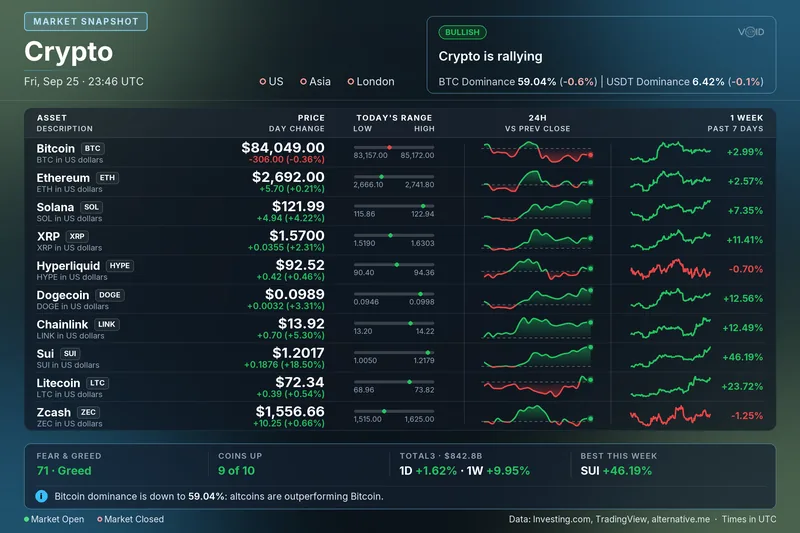
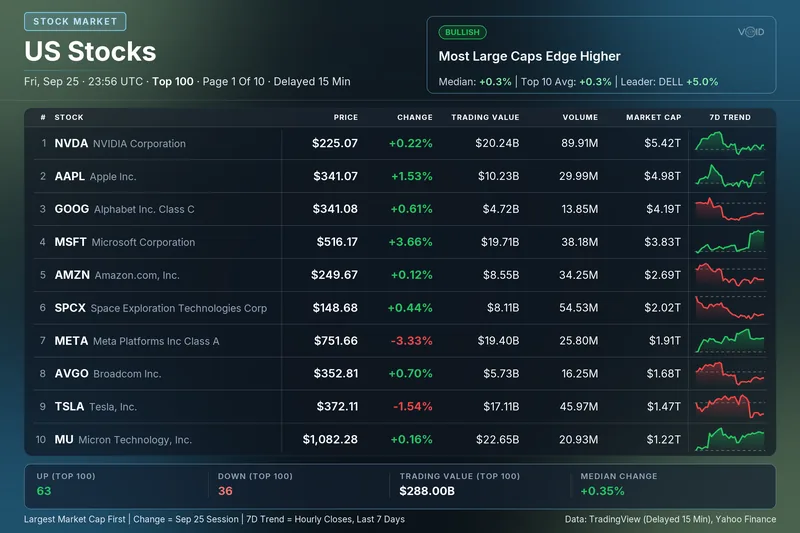
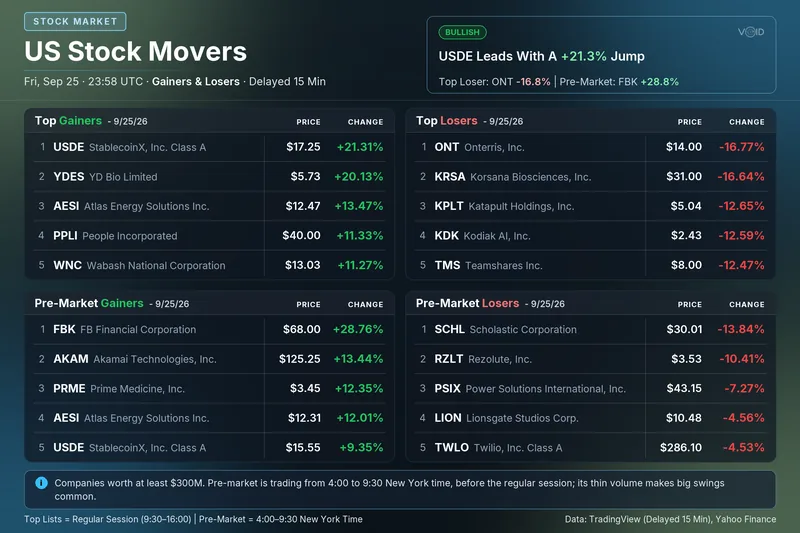
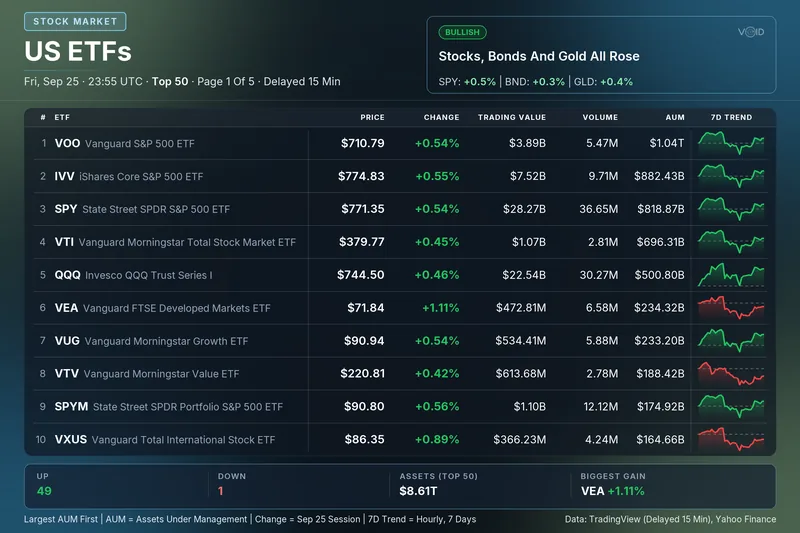
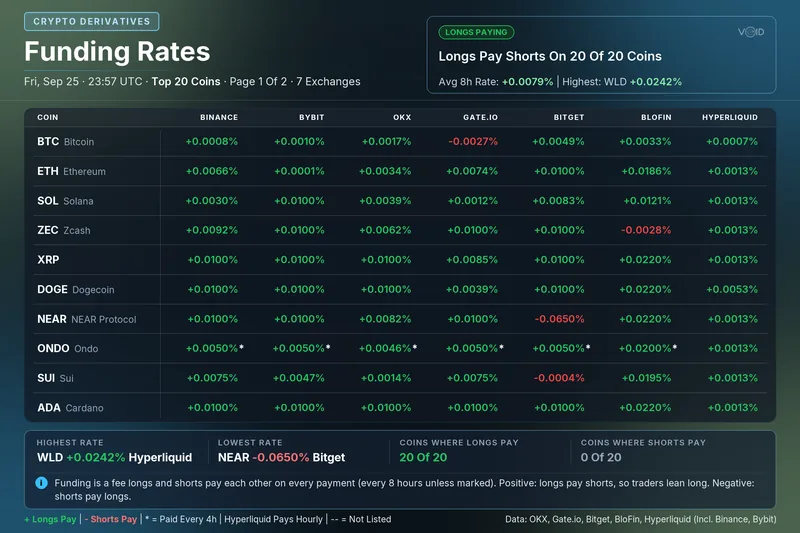
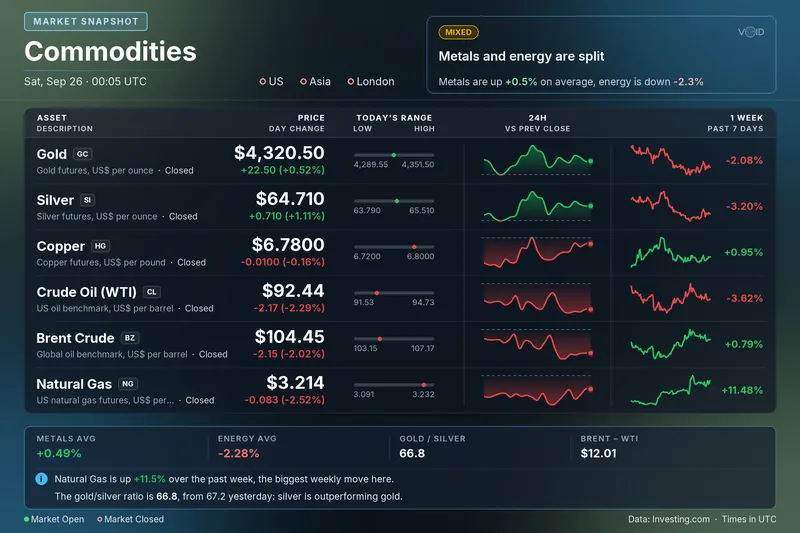
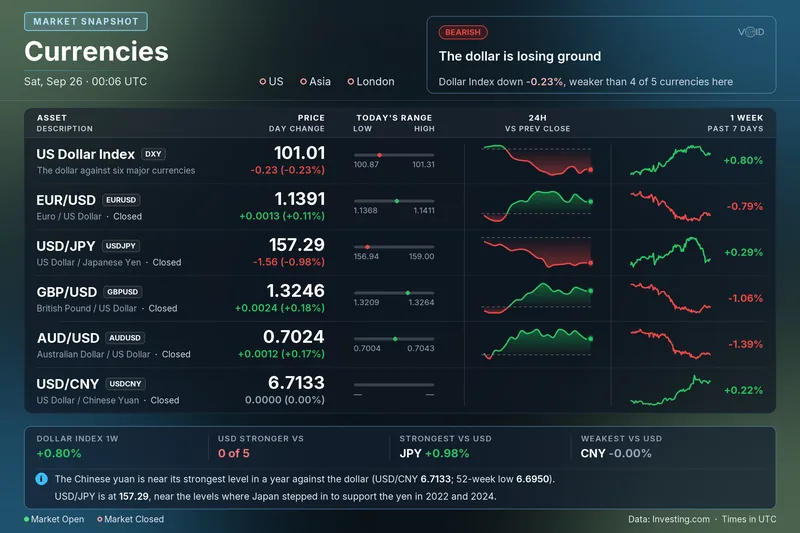
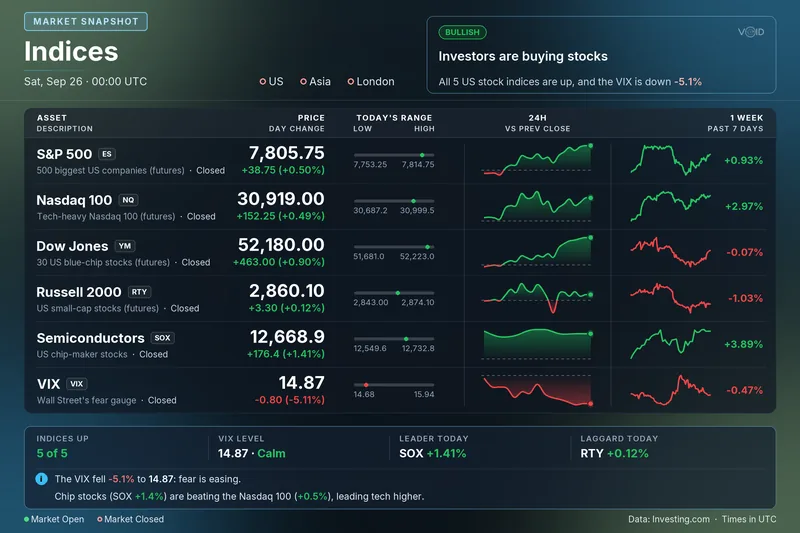
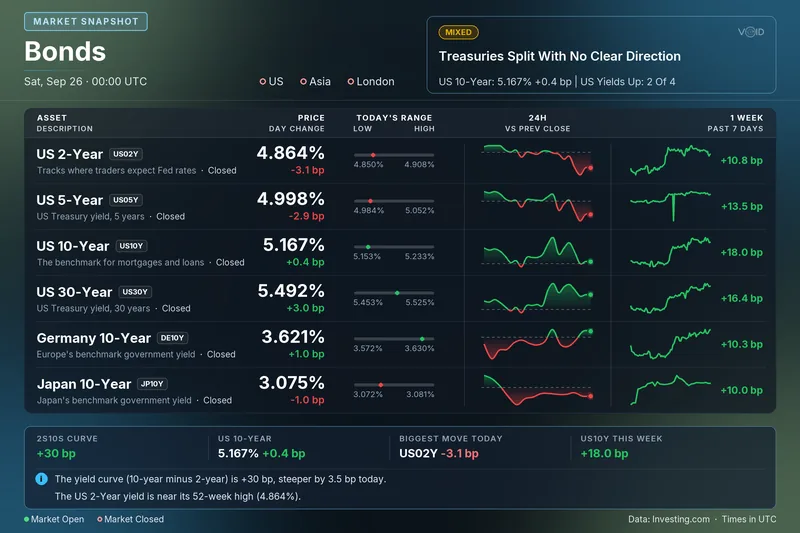
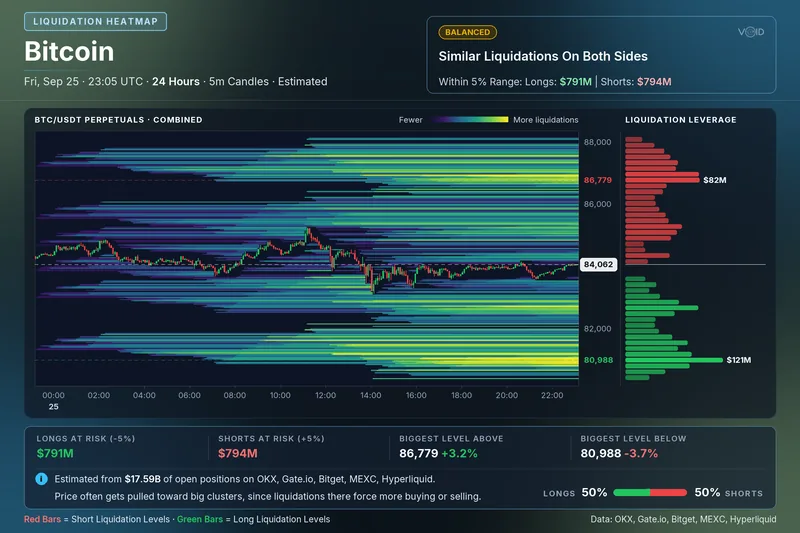
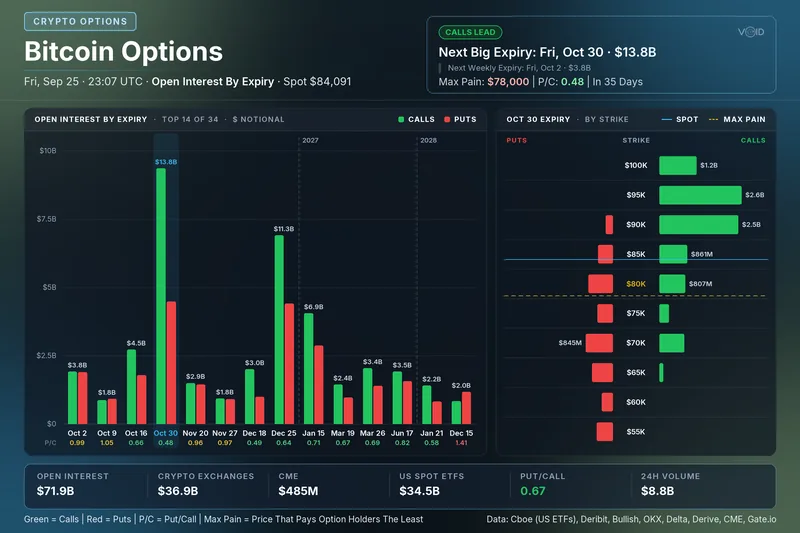
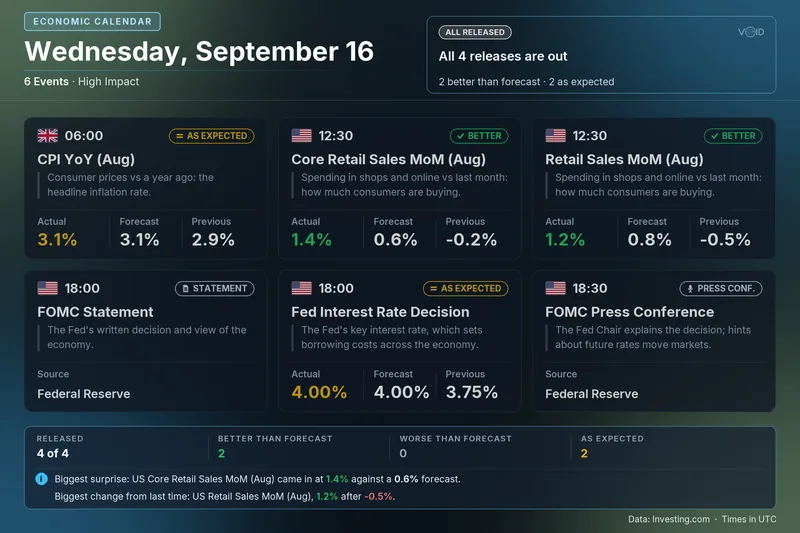
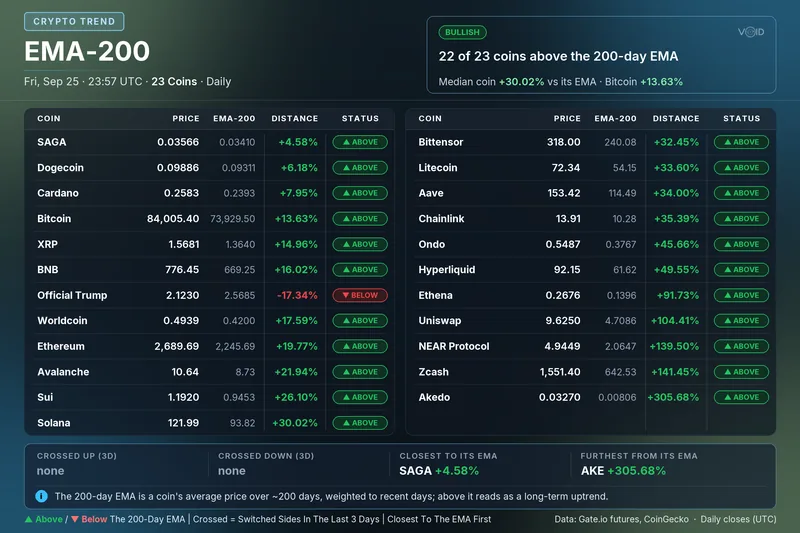
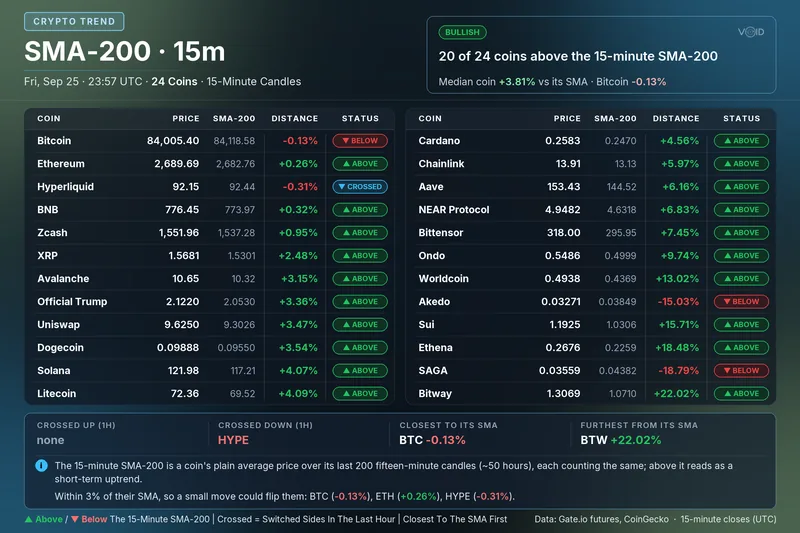
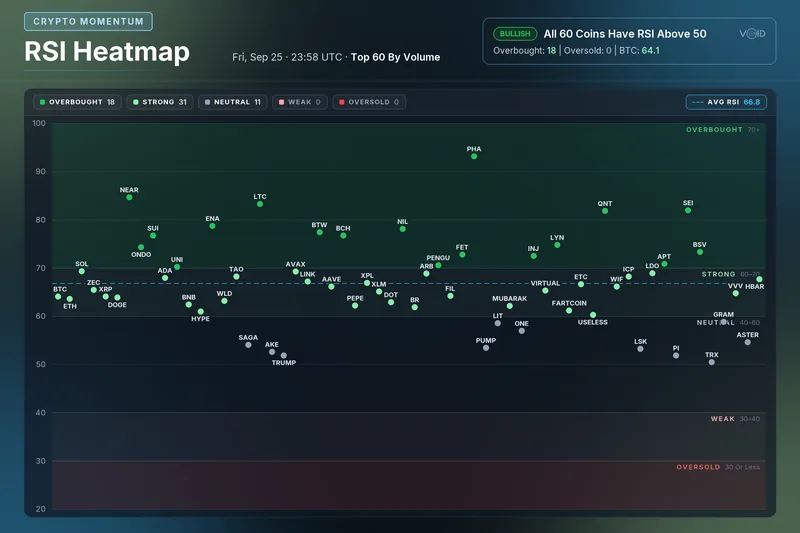
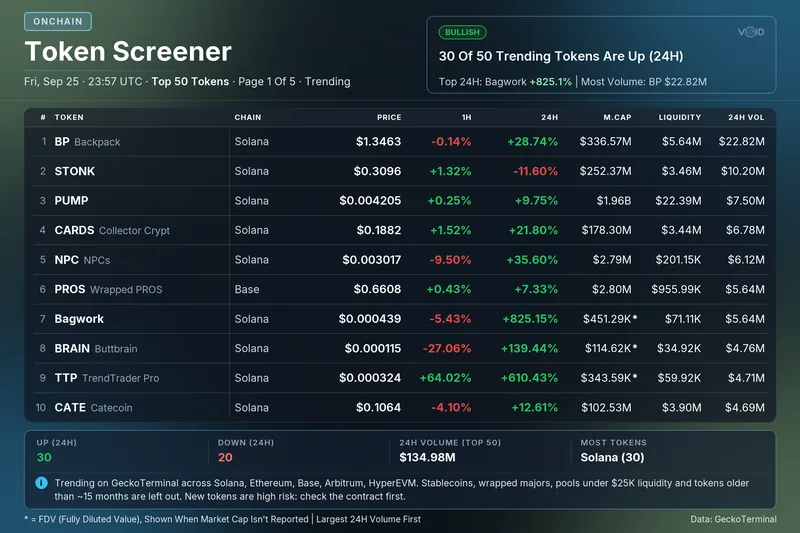
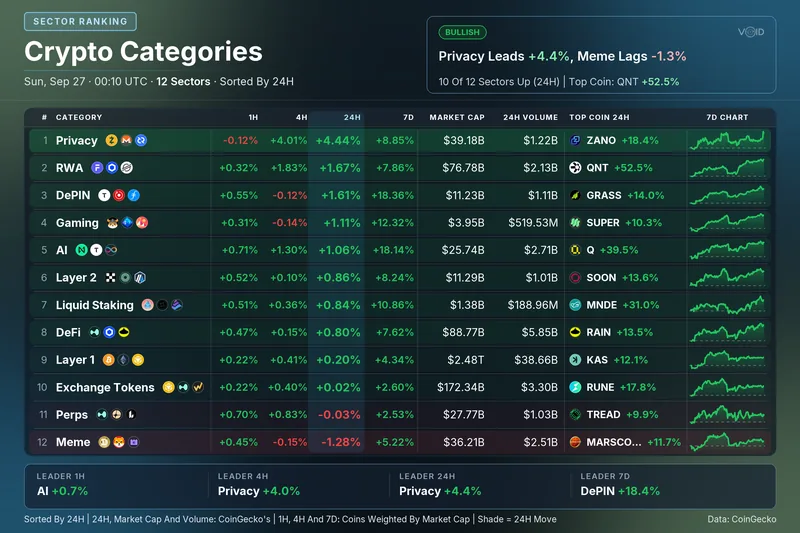
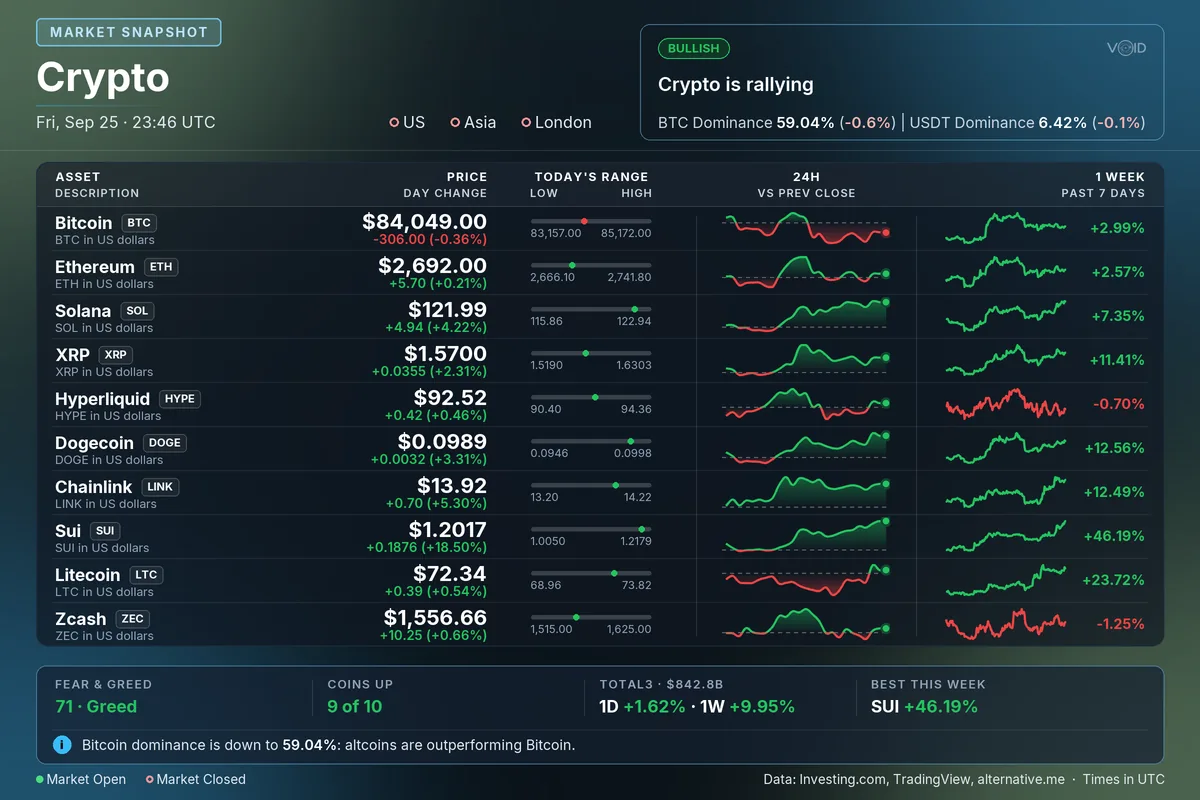
Type a command and the bot posts its card in the channel as an image. Pick a group, then a card, to see what each one shows.
Crypto board: the main coins' prices, 24H and 1-week charts, Fear & Greed and the market mood.
Try/crypto
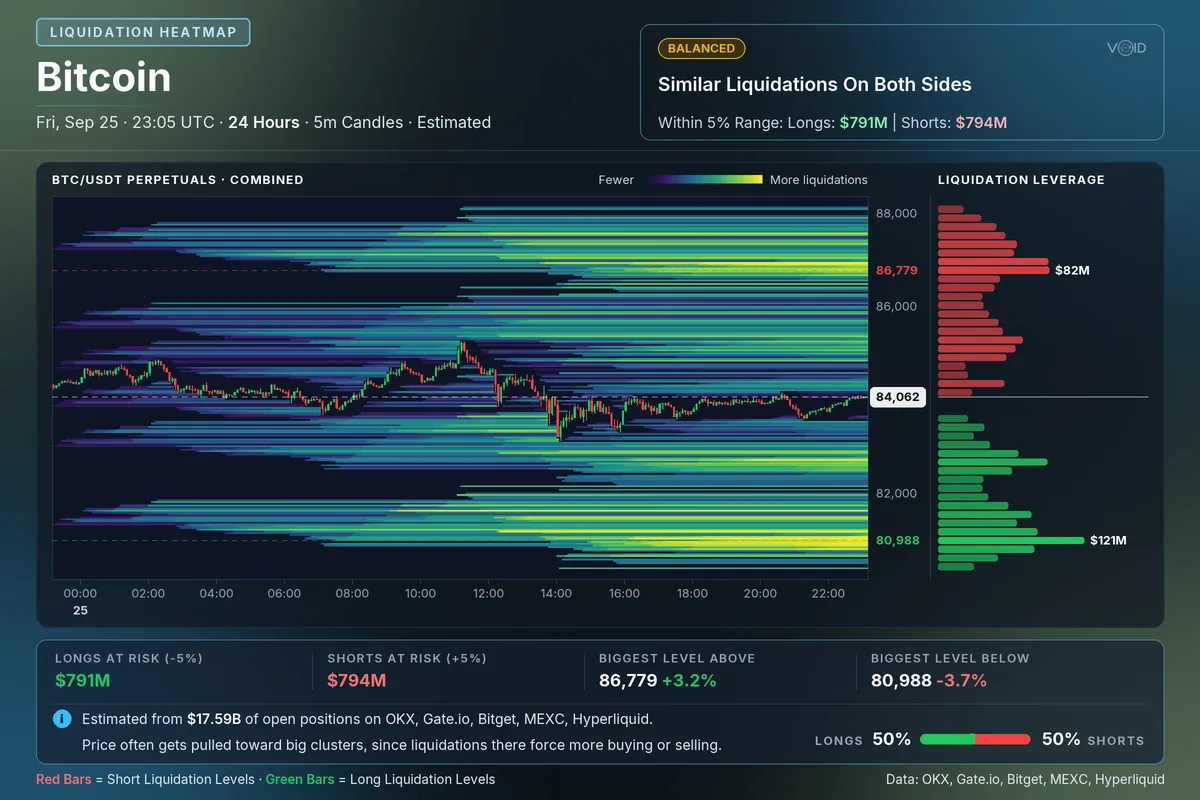
Estimated liquidation heatmap for BTC, ETH, SOL, XRP, DOGE or BNB over the last 24 hours: where leveraged positions would be force-closed.
Try/liquidations
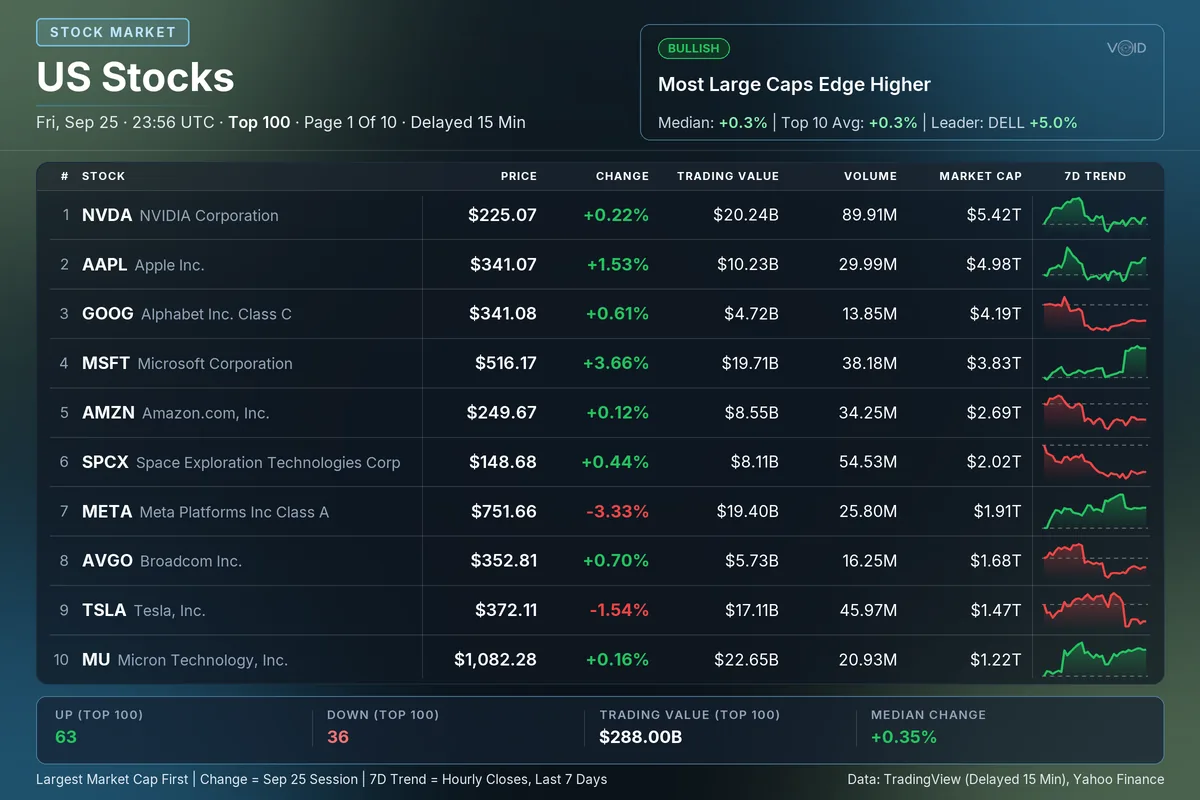
The 100 largest US stocks, 10 a page: price, change, trading value, volume, market cap and a 7-day trend. 15 min delayed.
Try/stocks
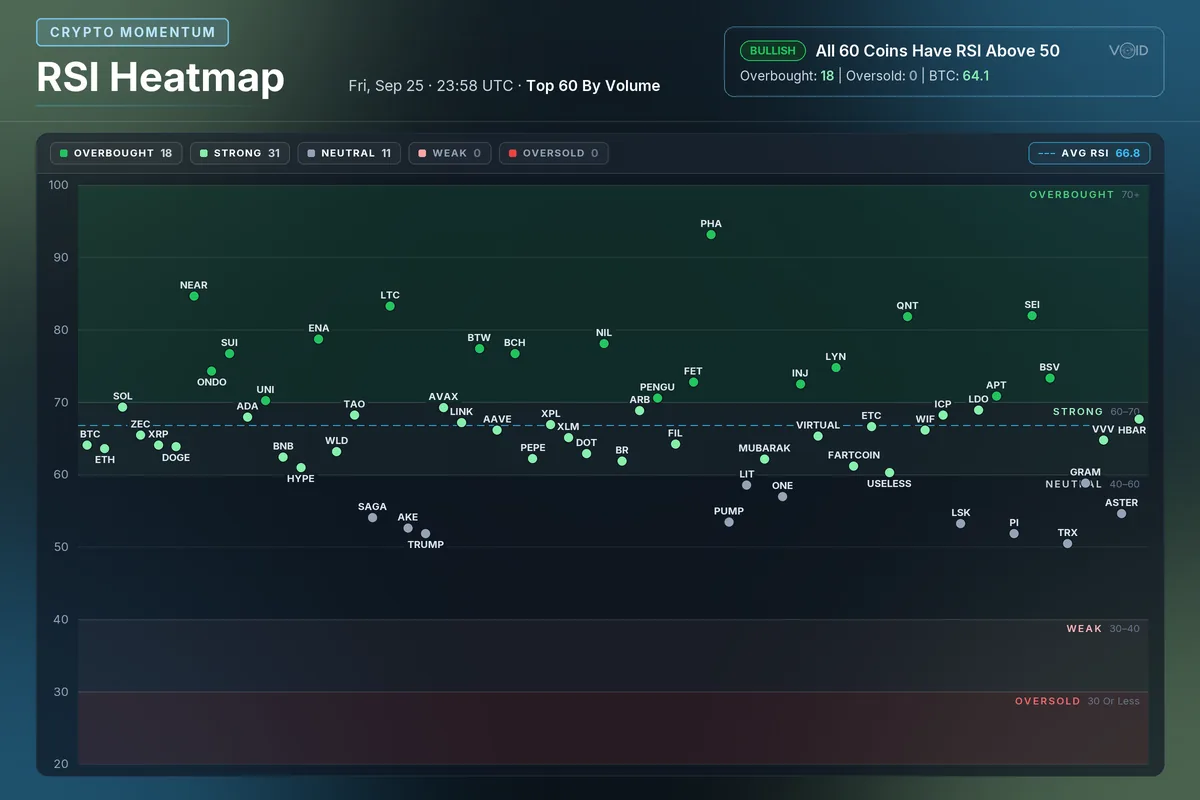
RSI Heatmap: the 14-day RSI of the top 60 crypto futures by volume, in zones from Overbought (70+) to Oversold (30 or less).
Try/rsi
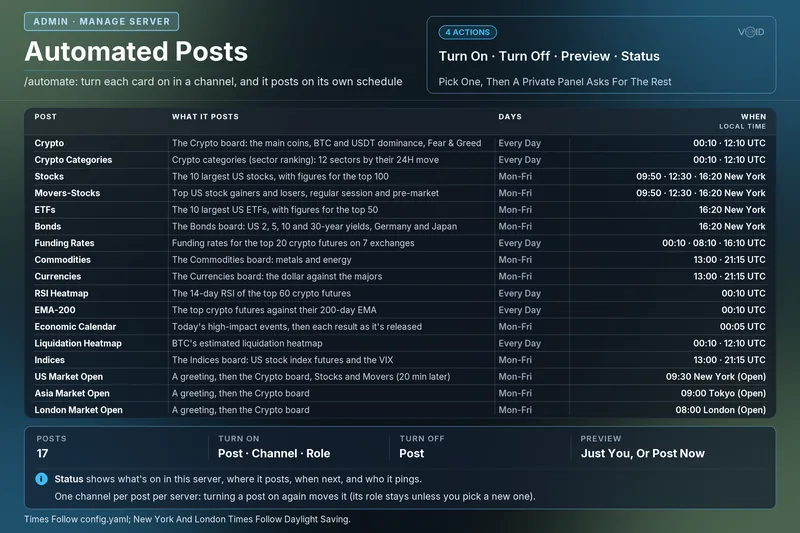
Server admins pick a card and a channel once, and the bot posts it on schedule from then on.
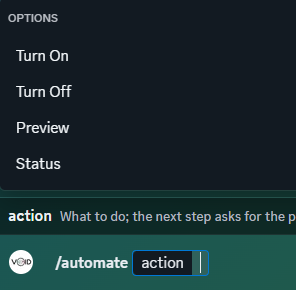
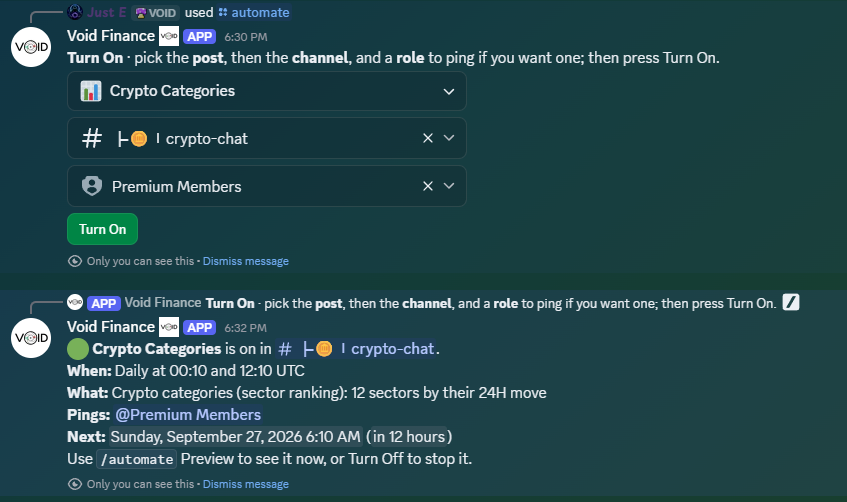
Type /automate and pick Turn On, Turn Off, Preview or Status.
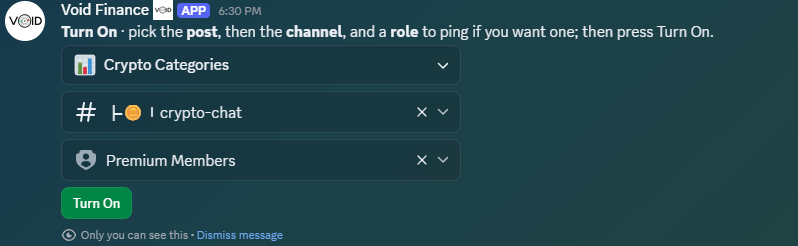
Choose the card, the channel it posts in and, if you like, a role to ping. Then press Turn On.
The bot confirms where and when it posts, who it pings and when the next post goes out.
In order through the day, each time in its own time zone, daylight saving included. You choose which posts go where.
Every card the bot posts, as a live page you can explore: sort the coins, hover the heatmaps, jump anywhere by typing a command.
What server admins usually ask first.
Only five: View Channel, Send Messages, Embed Links, Attach Files and Use Application Commands. It doesn't ask to manage your server, roles or members.
Anyone with the Manage Server permission can use /automate. Everyone else in the server can use the market commands whenever they like.
Yes. Each post goes to the channel you pick, with a role to ping if you want one. Preview it, move it or turn it off any time with /automate.
No. It only sees the commands people use and the buttons they press on its posts. It keeps just the settings it needs to post, and nothing about your members. Privacy Policy
Public market data from sources such as TradingView, Investing.com, CoinGecko and crypto exchanges. Every card names its sources along the bottom. US stock data is delayed 15 minutes.
No account needed. Open the Portal and you're in: it sets one cookie that keeps you signed in, and nothing else.

No account needed. The Discord bot is coming soon.